> ## Documentation Index
> Fetch the complete documentation index at: https://developers.criteo.com/llms.txt
> Use this file to discover all available pages before exploring further.
# Campaigns
## Introduction
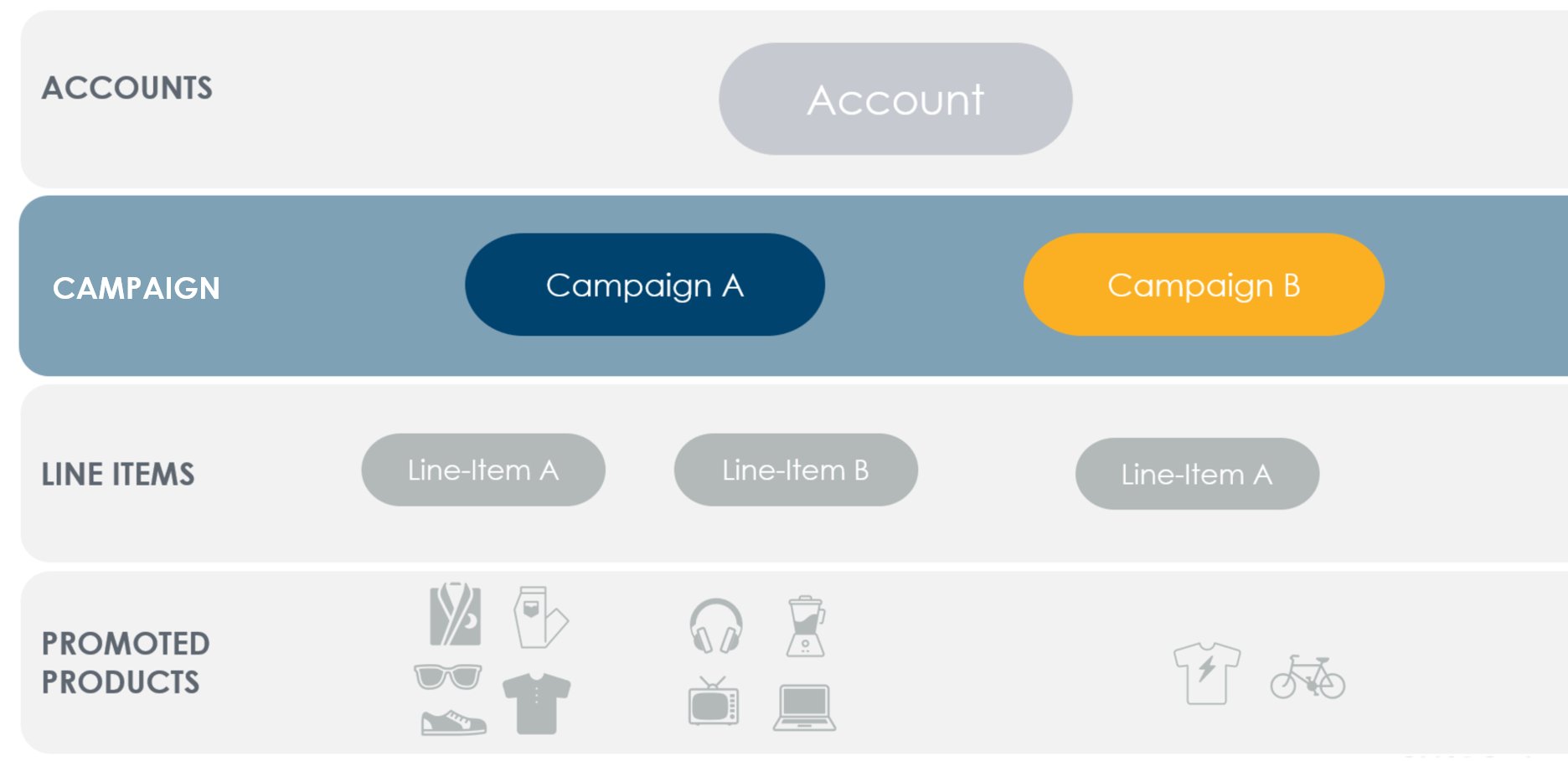
Campaigns define the high-level configuration for advertising across retailer inventory.
They act as containers for line items, which control delivery, targeting, and bidding. Campaign behavior and configuration may vary depending on the buy type (e.g., Sponsored Products or Onsite Display).
 ### What to Know about Campaigns
* A campaign represents a marketing objective and contains *line items*
* Campaigns may hold line items across multiple brands and retailers
* Campaigns support optional budgeting and attribution controls
* Budgets may additionally be controlled at the line item level
* Several [reports](/retail-media/v2025.07/docs/demand-side-analytics-get-started) are available to measure campaign performance
* Accounts are limited to 100,000 active campaigns
* Supported campaign types depend on the buy type (e.g., Sponsored Products, Onsite Display)
***
## Quick Start Process
1. Create a campaign
2. Create a line item
3. Configure targeting, creatives, and bidding on the line item
4. Assign the campaign to an account balance
5. Activate your line item
### What to Know about Campaigns
* A campaign represents a marketing objective and contains *line items*
* Campaigns may hold line items across multiple brands and retailers
* Campaigns support optional budgeting and attribution controls
* Budgets may additionally be controlled at the line item level
* Several [reports](/retail-media/v2025.07/docs/demand-side-analytics-get-started) are available to measure campaign performance
* Accounts are limited to 100,000 active campaigns
* Supported campaign types depend on the buy type (e.g., Sponsored Products, Onsite Display)
***
## Quick Start Process
1. Create a campaign
2. Create a line item
3. Configure targeting, creatives, and bidding on the line item
4. Assign the campaign to an account balance
5. Activate your line item